
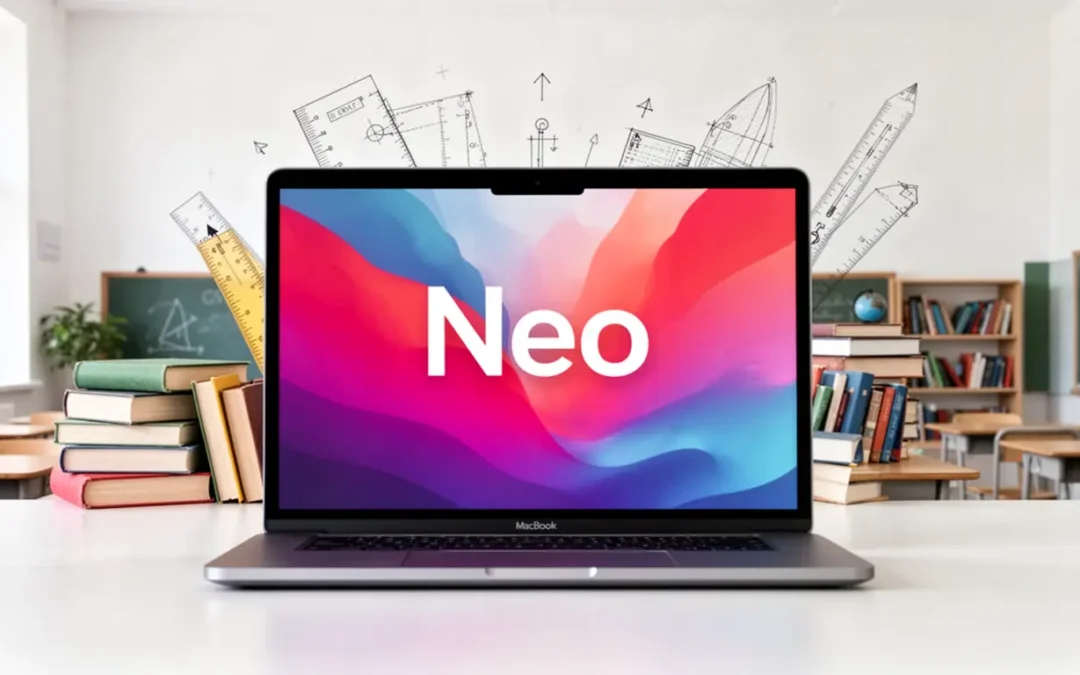
Apple just dropped a bombshell. Today in New York, the company unveiled the MacBook Neo, its most affordable laptop ever, starting at $599. For years, budget-conscious buyers, schools, and small businesses defaulted to Chromebooks because Apple simply didn't play in that price range. That changed this morning.
If you made the switch to Chromebooks and found yourself constantly bumping into their limitations, missing the apps you love, frustrated by the dependency on cloud connectivity, or wishing your laptop could just do more, the MacBook Neo deserves a very serious look.
What Is the MacBook Neo, Exactly?
The MacBook Neo is Apple's first laptop powered by an A-series chip, specifically the A18 Pro, the same silicon family that powers the iPhone 16 Pro. It's a 13-inch machine with a Liquid Retina display (2408x1506, 500 nits), a durable aluminum enclosure available in four colors (blush, indigo, silver, and the new citrus yellow), and up to 16 hours of battery life.
Here's the hardware rundown:
- Chip: Apple A18 Pro, 6-core CPU, 5-core GPU, 16-core Neural Engine
- RAM: 8GB unified memory
- Storage: 256GB (base, $599) or 512GB ($699, adds Touch ID)
- Display: 13-inch Liquid Retina, 500 nits, 1 billion colors
- Ports: Two USB-C (USB 3 left, USB 2 right), headphone jack
- Camera: 1080p FaceTime HD with dual beamforming microphones
- Audio: Dual side-firing speakers with Spatial Audio and Dolby Atmos
- Wireless: Wi-Fi 6E, Bluetooth 6
- Weight: 2.7 lbs
- OS: macOS Tahoe with Apple Intelligence built in
Education pricing brings the base model to $499, directly competitive with mid-tier Chromebooks, but with dramatically more capability.
The Chromebook Problem Nobody Likes to Talk About
Chromebooks earned their place in schools and small businesses for good reasons: they're cheap, they're easy to manage, and they're hard to break with a careless employee or student. But after a few years with a fleet of them, the cracks start to show.
You're always one internet outage away from a productivity halt. Chrome OS was designed around cloud connectivity. The moment your office loses internet, your people lose access to meaningful work. macOS is a full, local operating system and everything keeps running.
The app ecosystem is genuinely limited. Android apps on Chromebooks are a compromise, not a solution. If your team needs real video editing, a polished spreadsheet beyond Google Sheets, Photoshop, or any Windows/Mac-native professional software, a Chromebook simply can't deliver.
The hardware ceiling arrives fast. Entry Chromebooks are fine for browsing and Docs. But ask one to handle a Zoom call while running a few tabs and a spreadsheet, and you'll feel the squeeze. The A18 Pro in the MacBook Neo is benchmarked at up to 50% faster for everyday tasks and up to 2x faster for photo editing compared to best-selling Intel Core Ultra 5 PC laptops, let alone a $400 Chromebook.
The On-Device Advantage: What macOS Tahoe and Apple Intelligence Actually Do
This is where the MacBook Neo genuinely separates itself from every Chromebook on the market: real, powerful, on-device computing.
Apple Intelligence: Privacy-First AI That Actually Works
The MacBook Neo ships with Apple Intelligence baked in, running on the A18 Pro's 16-core Neural Engine. This isn't a Copilot button that sends your documents to Microsoft's servers, or a Chrome extension that requires a Google One subscription. It's AI that runs on your device, privately.
Apple claims the Neo handles on-device AI workloads, like applying advanced effects to photos, up to 3x faster than comparable Intel-based PCs. In practice, this means:
- Writing Tools across every app: rewrite, proofread, and summarize text in Mail, Pages, Notes, and third-party apps
- Image Cleanup and Smart Editing in Photos: remove objects, enhance scenes, restore old photos, all on-device
- Live Translation in Messages, FaceTime, and the new Phone app, processed locally, never in the cloud
- Spotlight reimagined: a new AI-powered Spotlight in macOS Tahoe lets you perform complex actions (send an email, create a note, adjust settings) directly from search without opening an app
- Siri with context: Siri now understands what's on your screen and can take meaningful actions inside apps
For users who've been relying on Google's AI features in Chrome OS, this is a step-change in capability and a massive step up in privacy.
Video Editing That Doesn't Require a Subscription
This is one of the biggest hidden costs of the Chromebook ecosystem. Need to edit video? You're looking at a web app, a mobile app sideloaded from Android, or a paid cloud subscription.
On the MacBook Neo, iMovie comes free and it's a genuinely capable editor. Trim, color grade, add transitions, export in 4K. For light-to-moderate video production, it handles the job beautifully. The A18 Pro's GPU acceleration means timeline scrubbing is smooth and exports are fast.
For heavier lifting, Final Cut Pro is available via subscription and is fully optimized for the A18 Pro chip. DaVinci Resolve also runs natively on macOS at no cost.
Compare that to a Chromebook, where serious video editing essentially isn't an option.
The Creative Suite Gap Closes Completely
On a MacBook Neo, you get access to:
- Logic Pro for music production (free trial, then subscription)
- GarageBand free for music creation
- Affinity Photo/Designer/Publisher: professional creative suite, no subscription required
- Full Adobe Creative Cloud: Photoshop, Lightroom, Premiere, all natively optimized for Apple silicon
- Microsoft 365: native, full-featured apps (not the stripped web versions)
A Chromebook user making any of these moves is paying for cloud workarounds. A MacBook Neo user just installs the app.
The Management Cost Conversation: Jamf vs. Google Admin
For IT administrators managing a fleet, this is where the real financial analysis begins. The common assumption is that Chromebooks are dramatically cheaper to manage. That assumption deserves scrutiny.
Chromebook Management Costs
Google charges $30/device/year for Chrome Enterprise Upgrade to unlock the full Admin Console management capabilities needed in a business or school setting. At scale, that's real money, and it still delivers a fundamentally limited OS.
Apple + Jamf Management Costs
Managing MacBooks through Jamf Now, the lightweight MDM solution purpose-built for small-to-medium environments, costs:
- First 3 devices: Free forever
- Standard tier: $2/device/month (~$24/year per device)
- Plus tier: $4/device/month (~$48/year per device)
For a 25-device fleet, you're looking at $50–$100/month for Jamf Now, with zero-touch deployment, Apple Business Manager integration, app distribution, Wi-Fi profile management, security policy enforcement, and remote management all included.
For organizations ready to graduate to Jamf Pro (enterprise-grade), pricing runs approximately $7.89/device/month for macOS, bringing a richer feature set, full declarative device management, and deep security telemetry.
The Total Cost of Ownership Shift
Here's where it gets interesting. When you calculate true TCO:
| Factor | Chromebook Fleet | MacBook Neo Fleet |
|---|---|---|
| Device cost (25 units) | ~$12,500 ($500 avg) | ~$14,975 ($599 base) |
| MDM (annual, 25 devices) | $750 (Chrome Enterprise) | $600–$1,200 (Jamf Now) |
| Productivity apps | Google Workspace included | May need Microsoft 365 or similar |
| On-device AI | Limited / cloud-dependent | Full Apple Intelligence included |
| Video/creative tools | Minimal / subscription-based | iMovie, GarageBand free; pro tools available |
| Device lifespan | 3–5 years typical | 5–7+ years typical (Apple silicon longevity) |
The device cost gap is roughly $25 per unit, less than $625 total for a 25-unit fleet. Spread over even a 4-year lifecycle, that's $156/year in additional hardware cost. Meanwhile, the productivity gains, app ecosystem breadth, and on-device AI capabilities delivered by a MacBook Neo represent a return that's difficult to quantify but very easy to feel every day.
And critically: macOS devices hold their resale value significantly better than Chromebooks. A 3-year-old MacBook still commands real money. A 3-year-old Chromebook is nearly worthless.
The Ecosystem Argument: You're Probably Already Apple
Here's a question worth asking: how many of your employees are carrying iPhones?
If the answer is "most of them," then every MacBook Neo in your fleet unlocks a set of productivity features that are genuinely hard to replicate on Chrome OS:
- iPhone Mirroring: control your iPhone directly from the MacBook without touching your phone
- Universal Clipboard: copy on iPhone, paste on Mac
- Handoff: pick up tasks exactly where you left off across devices
- AirDrop: instant, wireless file transfer with no app, no cable, no cloud service
- Continuity Camera: use your iPhone as a high-quality webcam
These aren't marketing bullet points. For anyone deep in the Apple ecosystem, these features save real time every day. Chromebooks offer none of them.
Who Should Buy the MacBook Neo?
The MacBook Neo is a compelling fit for:
Students and educators: The $499 education price makes this the most capable student laptop Apple has ever sold. Full macOS, real apps, Apple Intelligence, all-day battery, in a lightweight metal body that won't embarrass you in a coffee shop.
Small business owners: If your team is on iPhones and Google Workspace or Microsoft 365, the MacBook Neo slots in cleanly. Manage it with Jamf Now for $2–4/device/month, and you have a professionally managed Apple fleet for less than you might expect.
Chromebook refugees: You know who you are. You made the switch for cost reasons, you've made it work, but you're tired of the compromises. The Neo's entry price removes the biggest barrier that kept you away from Mac.
IT managers building a mixed or migrating fleet: With Jamf Now or Jamf Pro, macOS management is straightforward, scalable, and integrates cleanly with Google Workspace identity via Jamf Connect. You don't have to choose between Apple devices and Google infrastructure.
The One Honest Caveat
The MacBook Neo is locked at 8GB of RAM with no upgrade option, and the chip is A18 Pro rather than the M-series silicon in the MacBook Air and Pro. For users doing heavy video production, software development with multiple concurrent VMs, or running large AI models locally, the step up to a MacBook Air M5 (starting at $1,099) is worth it.
But for the vast majority of users, students, office workers, educators, small business employees, 8GB on Apple silicon with an A18 Pro handles daily workloads with ease. Apple's unified memory architecture is simply more efficient than the conventional RAM numbers suggest.
The Bottom Line
Apple just crossed $599. That changes the math.
For years, the Chromebook argument was "it's good enough, and it's cheap." The MacBook Neo answers: "it's dramatically better, and it's barely more expensive." A device that runs real apps, delivers serious on-device AI, supports professional creative tools, manages cleanly through Jamf Now, integrates deeply with the iPhone in your pocket, and lasts 5–7 years, all for $599 or $499 in education, is not a compromise. It's a genuine rethink.
Pre-orders are open now. Units ship March 11, 2026.
If you've been unhappy with your Chromebook experience, that's your answer.
Thinking About Making the Switch?
If you'd like to see how the new MacBook Neo could fit into your organization in a cost-effective way, or if you're looking for help with device management and deployment, we'd love to talk. Whether you're evaluating a handful of devices or planning a full fleet migration, TechResolv can help you find the right hardware, the right MDM platform, and a path that makes sense for your budget and your team.
Reach out to us at new.techresolv.com or give us a call to start the conversation.
MacBook Neo starts at $599 ($499 education pricing). Available for pre-order at apple.com, shipping March 11, 2026.